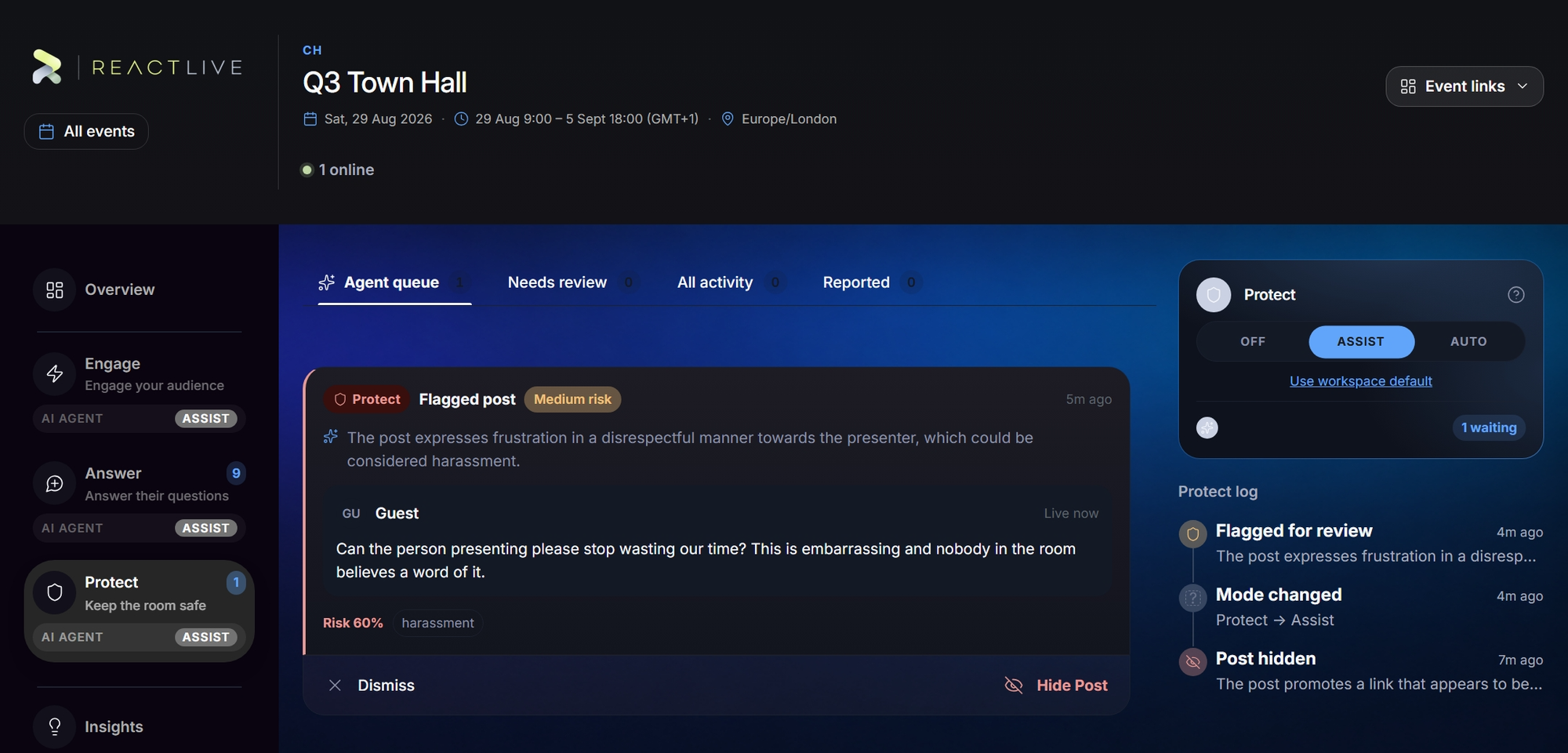
Protect keeps the room safe. The Protect agent reads everything the audience posts and rates what it finds; the agent's queue is where its assessments wait for a person, and where you hide, clear and reopen.
What Protect looks for
Abuse and hate, sexual content, self-harm signals, spam and duplicate floods, personal data in a comment, one participant posting faster than a person can type, and the event's own red lines. Most posts never need AI at all — cheap deterministic checks run first and only the genuinely ambiguous cases go to a model. The check takes a second or two and runs alongside posting, so submitting never feels slow. Posts by moderators and hosts are trusted and skipped.
Its findings carry a kind — Potential abuse, Potential spam, Off topic, Inappropriate, or a more specific one such as Harassment or PII — and a risk level, because "possible personal data" and "abuse" are not the same decision.
What changes with the level
Posts flow normally; concerns become items for you
The audience sees posts as they arrive. When Protect finds something concerning it records its assessment and raises a card — "I'd have held this, here's why" — and you decide. The agent hides nothing on its own.
Concerning posts are held before the audience sees them
A post is held at submission, checked, and either released (clean — the audience sees it a beat later) or kept held with a flag for your review. The author still sees their own post immediately; moderators see everything. If the AI is unavailable, a post it could not check stays held rather than slipping through. This is the level most events should leave Protect on.
Nothing is checked
Moderation is entirely manual — the question and comment actions still work, you are simply doing all of it yourself.
The queue and the tabs
- Agent queue
- What Protect is raising for your decision right now (on Assist), with the agent's own sentence explaining what it noticed and a preview of the post.
- All activity
- The decision history: every assessment, every hide, every clear, including ones made from a question card rather than from here. Filters narrows it to Flagged, Hidden, Flag cleared or Approved. A post Auto kept back is marked Held before broadcast, with a badge for what Protect found.
When Protect on Auto is holding posts, an Auto-held button with the count sits beside the tabs; it opens All activity filtered to what is flagged right now.
Click any item to open its decision. The actions offered depend on where the item stands:
- Hide from the audience — takes the post off screen. The flag is recorded as acted on.
- Clear the flag — a false positive; the post stays visible.
- Reopen for review — undo a clear and put the item back in the queue. On a hidden post this is Restore and re-flag: the post goes back in front of the audience and the flag returns to the queue, after a confirmation.
A post held before broadcast was never seen by the audience; to release it, approve it in Answer → Questions.
Protect never deletes anything. A held post goes to a person; deletion is a human act, from the question's own menu.
The Protect log
Level changes and every action, newest first. The same entries appear in the combined log on the Overview under the Protect filter.