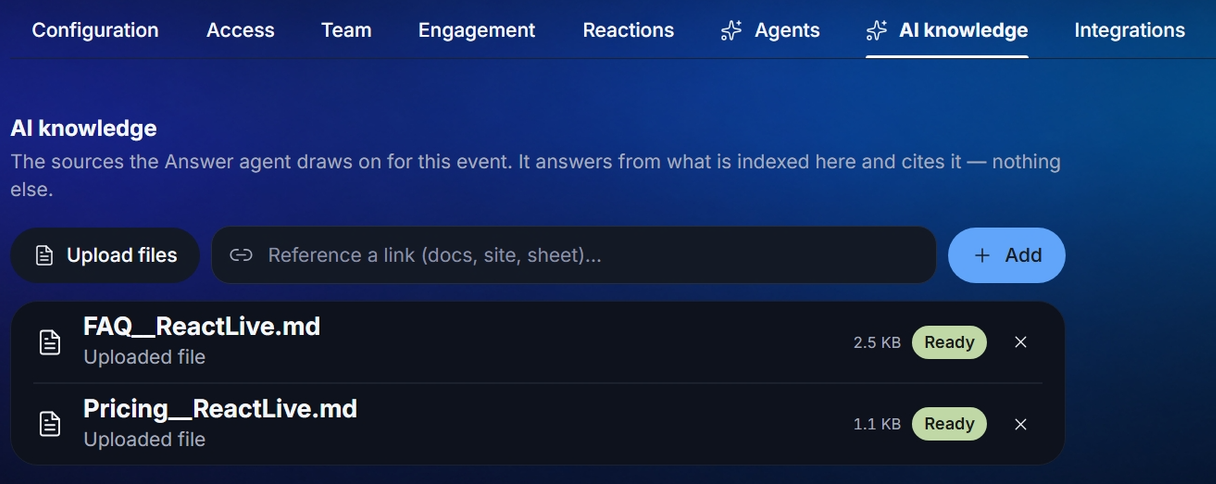
The Answer agent and the Event AI answer only from what you give them to read, and they cite it. Settings → AI knowledge is where you give it to them. No sources means every question is an escalation to you.
What to add
Anything you would hand a new team member on the morning of the event:
- The agenda and timings, rooms, the venue guide (parking, Wi-Fi, catering, accessibility).
- Speaker bios and the session descriptions.
- The slides or a written version of the talk — this is what turns "will the recording be shared?" and "what did she mean by X?" into answered questions.
- Your FAQ, and last year's unanswered questions.
- Product, pricing or policy pages the audience is likely to ask about.
Adding sources
- Files
- Upload files — drag a file onto the drop zone or click to browse: PDF, DOC, DOCX, XLS, XLSX or HTML, up to 16 MB, one file at a time. The readable text of each file — roughly the first 35,000 characters — is extracted and indexed; images and layout are not.
- Links
- On the Add URLs tab, paste a web address and press Add. The page is fetched and indexed as it is at that moment; it is not re-fetched later, so re-add a page after you change it. A link shows up in the list under the page's title.
New sources take a few minutes to become searchable. The list tells you exactly where each one is:
| Status | Meaning |
|---|---|
| Uploading | Leaving your browser. |
| Processing | The server is extracting the text. |
| Indexing | Extracted and stored, not yet searchable. The agent cannot use it yet. |
| Ready | Searchable. The agent can cite it from now on. |
| Delayed | Taking longer than usual — it will be ready within about five minutes. A page reload shows the final state. |
| Failed (toast) | The file type is not supported, or no readable text could be extracted (a scanned PDF with no text layer, an empty page). Try a text version. |
The × on a row removes the source and everything indexed from it; every open console sees it go.
This event only
An event's knowledge base is its own. Sources uploaded to another event, or at workspace level, are not used here, and this event's sources are not used elsewhere. If you run the same session twice, add the sources to both.
Testing it
Once a source shows Ready, open the audience app on your phone, tap Ask Event AI and ask something the source answers. You should get a cited reply within a few seconds; the exchange appears under Insights → Event AI. If you get "I don't have that in the event materials", the fact is not in a Ready source in a form the agent could match — usually a phrasing problem, sometimes a source still indexing.