Know what the room is telling you.
Report reads every question, vote, poll response and reaction as it arrives, and uses AI to select the part you should be looking at — live during the event, and in the record afterwards.
Do not wait until the event is over to understand the audience.
AI reads all of it. You see the part that matters.
A two-thousand-person town hall produces more material than anyone can read while also running the room. Report reads it as it lands and hands back a selection, not a dump.
What it puts in front of you
- The theme pulling the largest share of distinct questions
- The question the room keeps re-asking in different words
- The moment participation moved, and what was on screen when it did
- Concerns that appeared late and are still growing
- What was asked, cleared, voted on, and never answered
What it selects on
- Vote weight, rather than the order things were submitted
- Distinct concerns, because Answer has already grouped duplicates
- Change over the event, rather than totals at the end
- Questions that never got a response, which nothing else surfaces
Every selected item opens onto the material behind it. A theme opens the questions inside it. A dip in participation opens the minute it happened. Report tells you where to look and then shows its working — no number in it has to be taken on trust.
A live read of the room, for the person running it.
During the event, Report gives the operator the state of the audience: how many people are actively taking part, whether that is rising or falling, and where attention is concentrated right now.
This is the input Engage works from — and the reason a producer can act on a quiet room while there is still event left to fix it in.
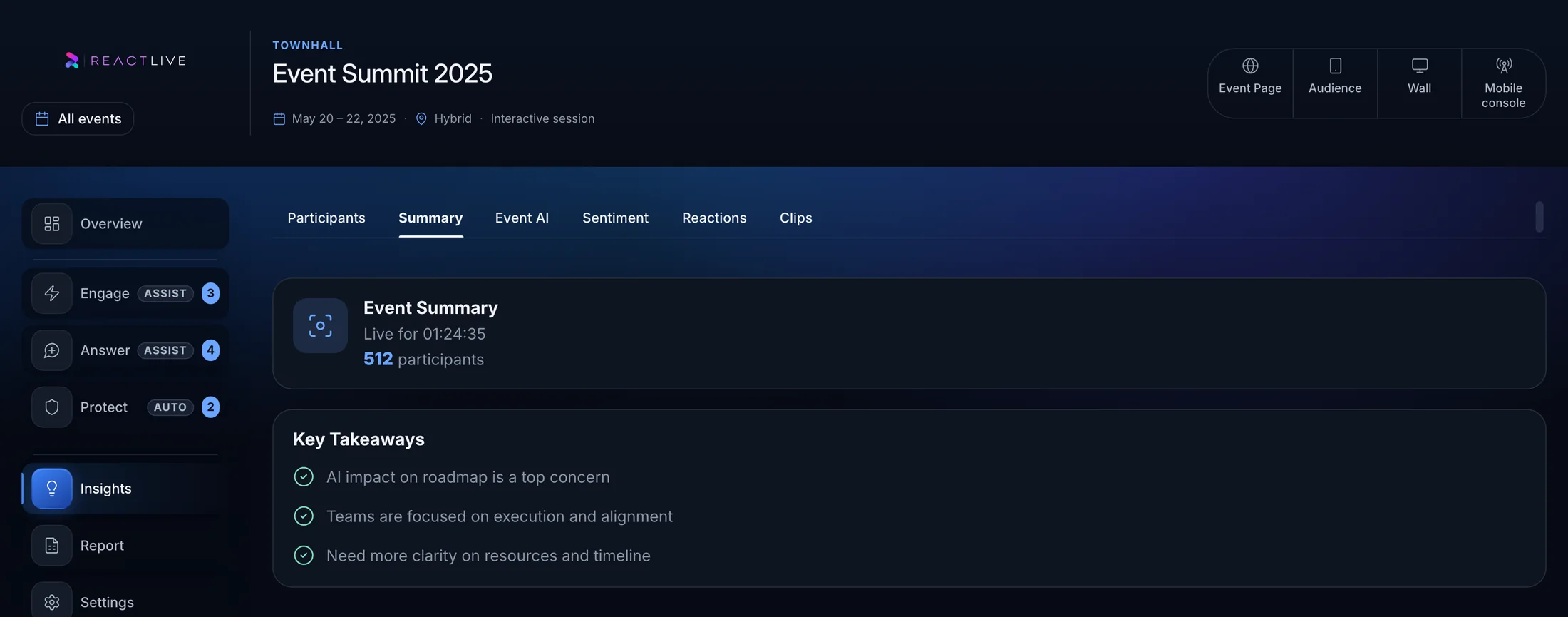
The live read, in the Console. Screenshot of the product, running a demo event.
How the room felt, and when it changed.
Sentiment is only useful with a timeline attached. “Broadly positive” tells a communications team nothing. “Positive until the regional restructure question at 10:44” tells them what to do next.
Report tracks how sentiment moves across the event so it can be read against what was being discussed at the time.
Each theme opens onto the questions behind it, so a number is never the end of the trail.
Recurring concerns, not a word cloud.
Because Answer has already grouped duplicates, themes count distinct concerns rather than submissions. Twenty phrasings of one worry appear as one worry — with the weight of twenty behind it.
That is the difference between a report that says “hybrid work was mentioned a lot” and one that says “a quarter of the room wanted clarity on one specific thing”.
Including the ones that never got answered.
The unanswered queue is often the most valuable part of an event. It is a list of things people wanted to know and did not find out.
- Answered live
- What was resolved in the room, by whom, and with what source where an answer was grounded.
- Unanswered
- Questions that were asked, cleared, voted on, and never reached — ranked by the weight the audience gave them.
- Escalated
- Questions no source could support, which need a human answer after the event.
- Held
- What Protect held and why, so moderation can be reviewed rather than trusted blindly.
- Emerging concerns
- Topics that appeared late or grew through the event — the things likely to dominate the next one.
Something a leadership team will actually read.
The output most communications teams need is not a dashboard. It is a page a CEO reads in two minutes: what people asked about, what they seemed to feel, what was left unanswered, and what to do before the next event.
Getting there is a selection problem, and it is the part AI does. Four themes out of a hundred topics. The handful of questions that deserve a follow-up out of the two hundred that were asked. The same judgement a communications team makes over half a day of reading — made while the event is still running.
- The themes that dominated, with the questions behind them
- What was answered live and what still needs a response
- How participation and sentiment moved across the event
- Closing rating results, where a rating was run
- What each agent suggested, did, and escalated
The live read becomes the permanent record.
When the event ends, the intelligence the operator was watching is closed off and kept with the event. There is no separate reporting exercise, because the report is not assembled after the fact — it was being written the whole time.
The selection carries over with it. What Report put in front of the operator during the event is what leads the record afterwards, so the debrief and the live read tell the same story.
That also means the record includes the operating history: what was held, what was answered, what was approved by whom.
Reports live with the event, so a recurring town hall accumulates a comparable history rather than a folder of one-off exports.
Getting it to the people who need it.
Reports are read by people who will never open the Console — an executive team, an HR partner, a regional lead following up on their own audience.
A recap for every attendee — the summary and the answered questions sent to the whole audience rather than only to leadership — is on the roadmap. Roadmap
Report has one control: on or off. Because it never publishes to the audience, there is nothing to approve and nothing to undo — the Off / Assist / Auto model applies to the agents that can act. See the control model
Do not wait until the event is over to understand the audience.
On the blog: The debrief nobody has time to write