One live event. One connected operating system.
Run audience participation, live moderation, AI assistance, audience surfaces, and event intelligence from one event.
Everything operates on the same event.
A ReactLive event is the unit everything hangs off. Surfaces, agents and reporting all read and write the same live context — so nothing has to be kept in sync by hand.
- Shared context
- Every surface reads the same questions, polls, updates and In Focus state. A change in the Console is the change everyone sees.
- Agents inside the event
- Engage, Answer and Protect operate on that same context, within the permissions you set for that event. Report reads it and takes no action. Meet the agents
- One record afterwards
- Because activity and agent decisions live on the event, the post-event report is a record of what actually happened — not a reconstruction.
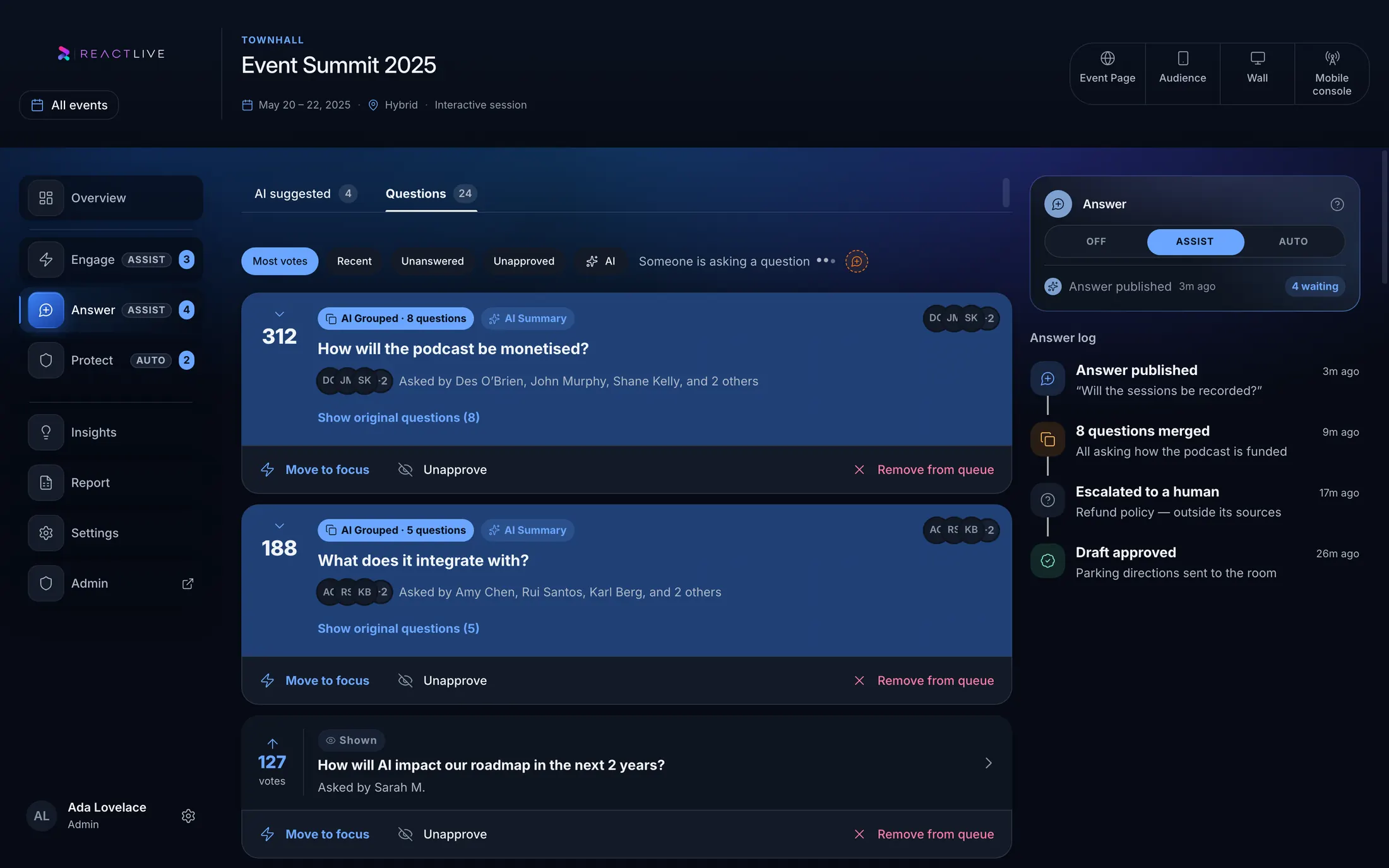
The control room for the live event.
The ReactLive Console gives moderators and event teams one place to manage the room.
- Questions
- Polls
- Updates
- In Focus
- Audience activity
- Agent recommendations
- Moderation
- Live insights
- Event status
Role-based: moderators work the queue, producers drive In Focus and the screens, presenters see what to answer next, admins set agent modes and rules.
Participation should be the simple part.
The audience does not need to understand ReactLive’s operating complexity. They open a link and take part.
- Ask
- Vote
- React
- Respond
- Follow In Focus
- Ask Event AI, where enabled
Browser-based, no app to install — people join by link or by the QR code on the Wall.
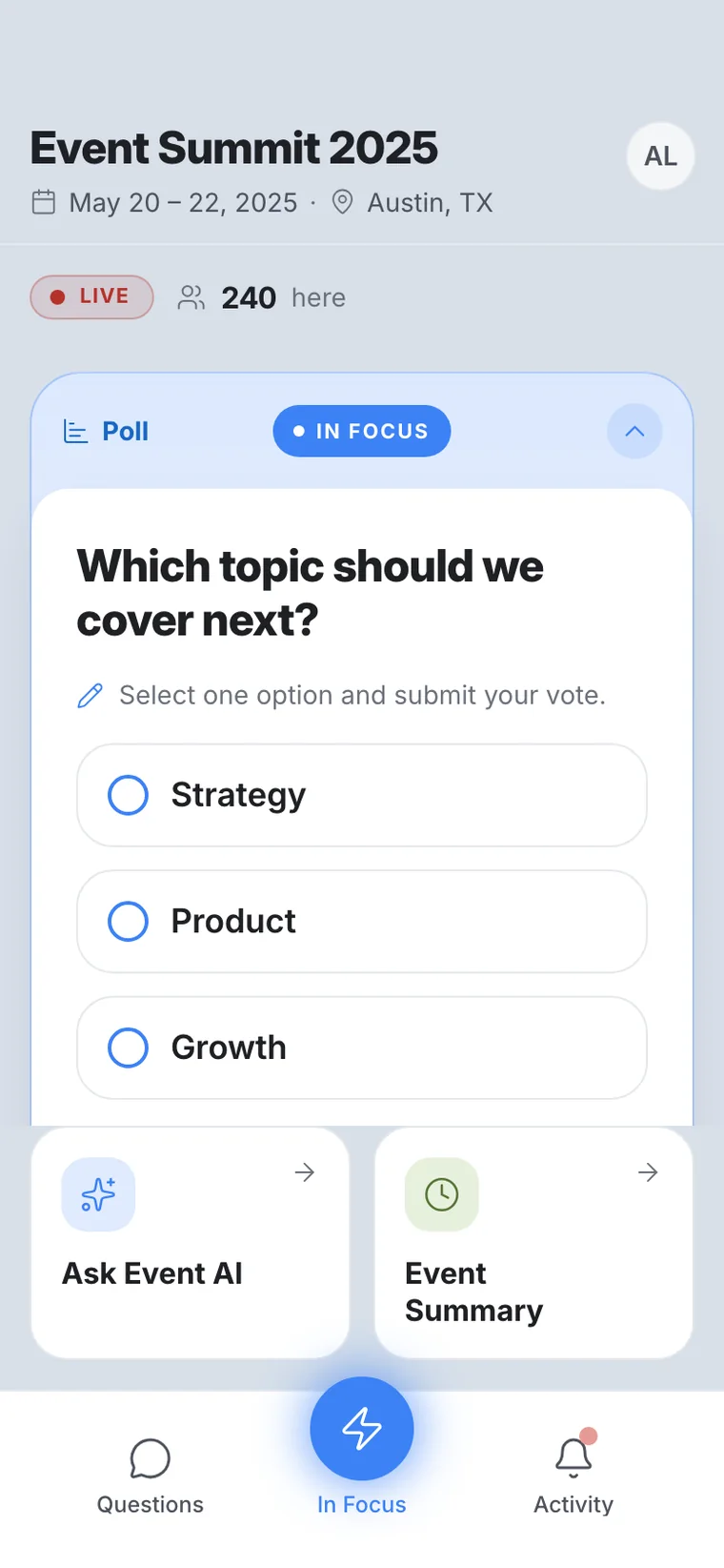
The Audience app. Screenshot of the product, running a demo event.
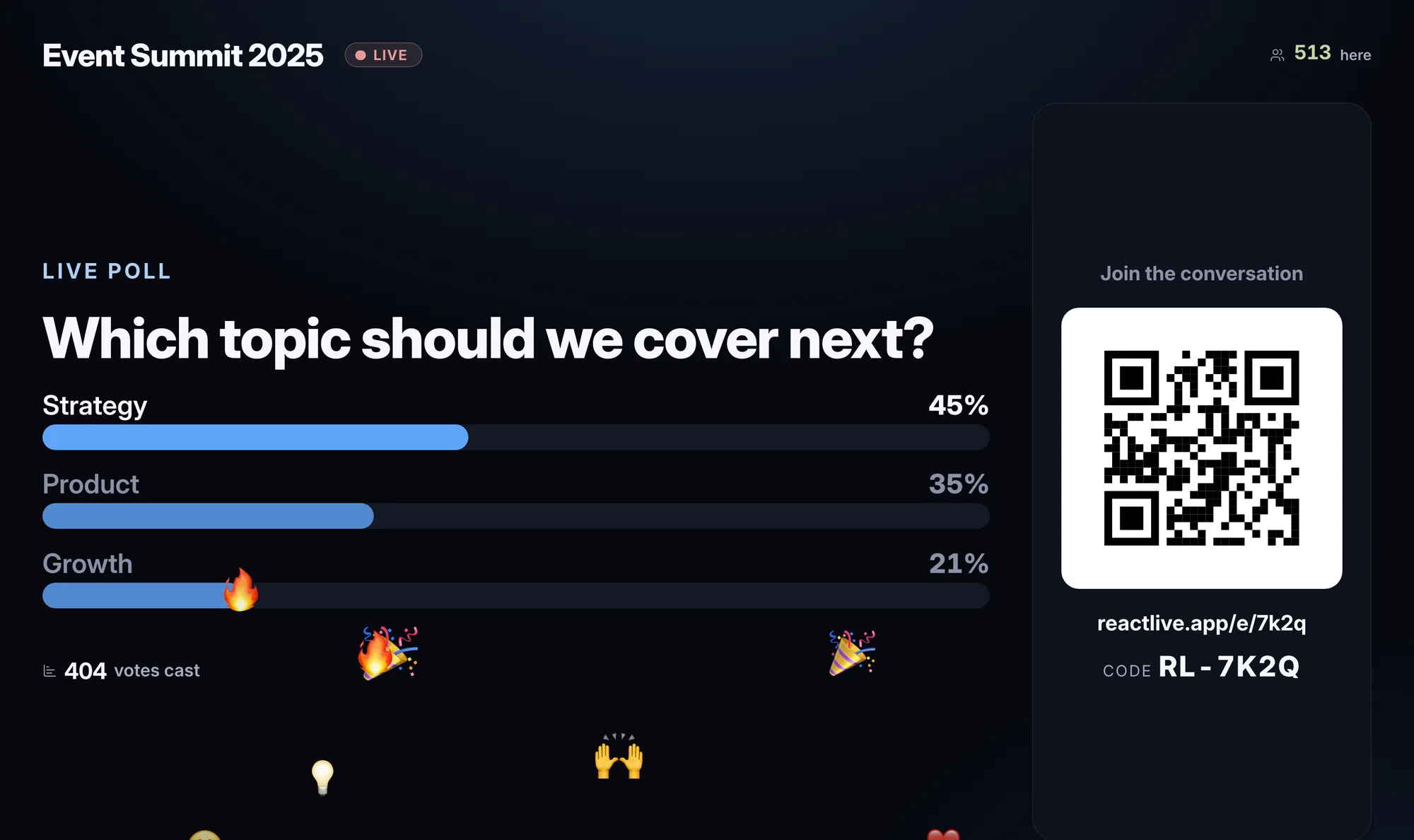
Bring participation into the room.
The Wall puts the current live interaction on the room’s screens — the question being answered, the poll being run, the announcement that just went out.
It follows In Focus, so the screen and the phones in the room never disagree. Nobody has to switch a slide.
Built to run unattended and read from the back of the room — and it only ever shows what has been cleared, so held content never reaches the screen.
One event for the room and the remote audience.
Remote participants get the same event: the broadcast, the interactions, and the live context around them.
Media and broadcast
Embed the stream your organisation already uses, with participation beside it rather than in a second tab.
Interaction and activity
Ask, vote, react and respond — the same queue and the same answers the room sees.
Live context
In Focus travels to the Event Page, so remote participants are never a step behind the room.
Remote participants are usually the majority. Their questions land in the same queue, the same moderation and the same report as the room’s.
One event. One live moment.
In Focus answers the only question that matters mid-event: what should the audience be engaging with right now? Set it once, and every surface follows.
A question
The one being answered on stage right now.
A poll
Open for responses, with results live as they arrive.
An announcement
Something the whole audience needs to see at once.
A rating or join prompt
Closing feedback, or a QR to bring the room in.
Draft. Test. Live. Ended.
The same event moves through four states. What the audience can see and what agents are allowed to do changes with it.
- Draft
- Build the event, load event knowledge, configure each agent’s mode. Nothing is visible to an audience.
- Test
- Run the room privately with your team. Check moderation rules, check what Answer produces from your sources, check what the Wall looks like.
- Live
- Participation is open. Agents operate in the modes you set, and every consequential action follows your approval rules.
- Ended
- Participation closes. The live intelligence becomes the permanent event report and the audit history stays with the event.
The live read of the room becomes the record of it.
Report is not a separate export step after the event, and it is not an agent. It reads the whole event as it happens and uses AI to select what is worth your attention — the same intelligence the operator watched live, closed off and kept.
- Engagement and participation over the event
- Sentiment and how it moved
- Recurring themes across questions
- Important questions and emerging concerns
- Event takeaways for leadership follow-up
- What each agent suggested, did, and escalated